Activate modules with the CLI in Magento
Activate or disable Magento modules safely using the CLI to manage dependencies and update app/etc/config.php automatically.
Lesson Content
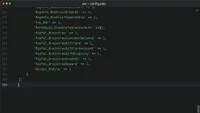
Magento tracks which modules are active in the app/etc/config.php file. This file contains a big PHP array that maps the module names to their status:
return [
    'modules' => [
        'SomeVendor_SomeModule' => 0, // Disabled module
        'AnotherVendor_Module' => 1,  // Enabled module
    ]
];
While you could edit this file directly, this isn’t a good idea. This is because the order in which modules are added to this file is important.
It's much safer to use the CLI commands instead:
bin/magento module:enable AnotherVendor_Modu...
Join the discussion!
Comments
Want to comment on this lesson?
Enroll in this course to leave comments.