Automatically remove database fields in Magento
Automatically remove database fields in Magento using db_schema_whitelist.json and setup upgrade command.
Lesson Content
If we were to remove some entries from the db_schema.xml file, Magento will not automatically remove them. This is because Magento errs on the side of backwards-compatibility in order to support older upgrade scripts that were used before declarative schema was introduced.
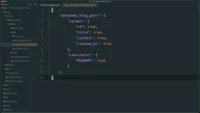
To have these columns or indexes automatically removed whenever setup:upgrade is executed, all you need to do is generate a whitelist.
This can be done from the command line. After opening up terminal, let’s run bin/magento setup:db-declaration:generate-whitelist
After running this line, we’ll notice a new `db...

Join the discussion!
Comments
Want to comment on this lesson?
Enroll in this course to leave comments.