Change the page layout of a view in Magento
Change Magento page layout with XML layout attribute for 1column 2columns-right 3columns blog views.
Lesson Content
In the review of the exercise we just walked through, we noticed that the main layout on a page can be controlled by setting a layout attribute on the main <page> node, just as in this vendor/magento/module-theme/view/frontend/layout/default.xml default page layout of the Magento Theme module.
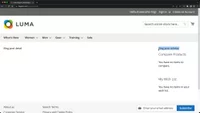
Since this default.xml is loaded and applied to all page views, all of our blog routes use the 3columns layout. Let’s confirm this by setting our sidebar in blog_post_detail.xml back to the sidebar.main container and refreshing the page. You’ll see that it has been placed in the left sid...

Join the discussion!
Comments
Want to comment on this lesson?
Enroll in this course to leave comments.