Control system configuration scope visibility with XML in Magento
Learn how to control Magento admin configuration scope visibility using showInDefault, showInWebsite, and showInStore XML attributes.
Lesson Content
When developing modules with configuration settings, you may need to control which scope levels your settings can be modified within. Magento provides a simple yet powerful mechanism for this using "showIn" attributes.
The showIn attributes
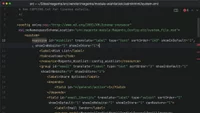
Each configuration field can have three visibility attributes that control where it appears in the admin, and they can be set on section, group, or field nodes:
<!-- ... -->
<section id="wishlist" ... showInDefault="1" showInWebsite="1" showInStore="1">
    <label>Wish List...
Join the discussion!
Comments
Want to comment on this lesson?
Enroll in this course to leave comments.