Create catalog price rules that target product attributes in Magento
Learn how to create Magento catalog price rules targeting product attributes for promotions.
Lesson Content
Let’s say that you want to run a "20% off all pants" promotion across multiple categories. Catalog price rules make this super easy by letting you target specific product attributes or combinations of attributes.
Here's how to set up your pants promotion:
Navigate to Marketing > Promotions > Catalog Price Rules and click "Add New Rule".
Fill in the basic rule information, such as a clear name like “20% off all pants”.
Then assign it to the websites and customer groups it applies you, and a related active date (if applicable).
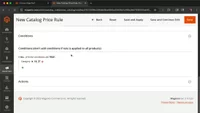
Now, create a Condition:
Click the Conditions tab. 2...

Join the discussion!
Comments
Want to comment on this lesson?
Enroll in this course to leave comments.