Create a composer.json file for a module in Magento
Learn how to create a Magento 2 module composer.json with require type license and PSR4 autoload configuration.
Lesson Content
Even though we won’t be distributing this module (or, maybe we will be?), we need to create a composer.json file for it. Magento uses this file for various dependency tracking purposes, as we can define hard & soft dependencies for our module in this file in the future.
Let’s create a composer.json in the root of our module folder.
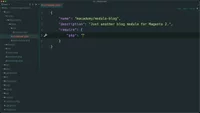
Within it, we will create a name property, and this follows the format of vendorname/module-modulename. We’ll also add a description property saying “Just another blog module for Magento 2”.
Let’s create another property named require. This is h...

Join the discussion!
Comments
Want to comment on this lesson?
Enroll in this course to leave comments.