Create custom cron jobs in Magento
Learn how to create custom cron jobs in Magento using crontab.xml to automate scheduled tasks for your module.
Lesson Content
Magento's cron system lets you schedule tasks to run automatically at specific times. Let's build a custom cron job from scratch.
Create a custom cron job
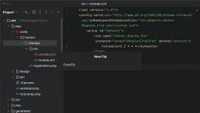
First, create a crontab.xml file in your module's etc directory:
<?xml version="1.0"?>
<config xmlns:xsi="http://www.w3.org/2001/XMLSchema-instance"
        xsi:noNamespaceSchemaLocation="urn:magento:module:Magento_Cron:etc/crontab.xsd">
    <group id="default">
        <job name="vendor_module_your_task" instance="Vendor\Module\Cron\Foo" method="execute">
            <schedule>0 2 * * *</schedule>...
Join the discussion!
Comments
Want to comment on this lesson?
Enroll in this course to leave comments.