Create and dispatch an event in Magento
Learn how to create and dispatch a custom event in Magento using ManagerInterface and request data.
Lesson Content
It’s very simple to dispatch an event in Magento. When would you want to do this?
Events are broadcast any time you’d like an action carried out that isn’t dependent upon a response. For example, you might send out an event when a specific page is viewed, similar to something like Google Analytics. You’re basically saying “here’s an event, and it’s up to you to do as you see fit.”
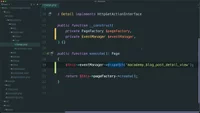
Go to the blog post detail class, and create a new private property that is of type ManagerInterface from Magento\Framework\Event. Sometimes if a class name is so generic, such as this one named Manager...

Join the discussion!
Comments
Want to comment on this lesson?
Enroll in this course to leave comments.