Create a new custom route in Magento
Learn how to define a custom Magento 2 frontend route in routes.xml for a blog module.
Lesson Content
When a web request comes in to Magento, the standard router looks through all of the defined routes from the combined routes XML files. If it finds a match, then the module defined in that route is responsible for handling the request.
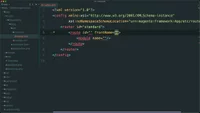
Since we haven’t yet set up a route, let’s do that now. Within the etc directory, create a frontend directory. This tells Magento that this is a frontend route, and inside it we’ll create a file named routes.xml.
This file will have a standard config node, with the noNamespaceSchemaLocation set to Magento Framework’s routes.xsd file.

Join the discussion!
Comments
Want to comment on this lesson?
Enroll in this course to leave comments.