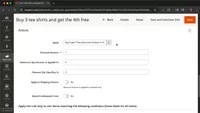
Create targeted promotions with cart price rules in Magento
Learn how to create targeted Magento promotions with cart price rules for advanced discounts, coupons, and "Buy X Get Y" deals.
Lesson Content
While catalog price rules apply discounts directly to products, cart price rules give you way more control. You can create complex promotions based on what's in the cart, automatically apply discounts or use coupon codes, and even set up "Buy X Get Y" deals.
Here's how to create a cart price rule:
Navigate to Marketing > Promotions > Cart Price Rules and click "Add New Rule". Start with the basics — give it a descriptive name and decide if this will be an automatic discount or require a coupon code.
If you choose the coupon route, you can either create a specific code like "SAVE20" or...

Join the discussion!
Comments
Want to comment on this lesson?
Enroll in this course to leave comments.