Display a template with a block in Magento
Learn how to display a template with a block in Magento by targeting the main container in layout XML.
Lesson Content
This template we created won’t render on it’s own. So, in order for it to be displayed, the most common way to do this is to add it to a block.
Remembering that containers don’t do anything except render children blocks, we know that we can get our block to render by simply adding it to a container.
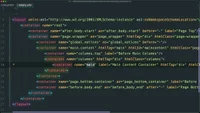
Let’s find the container we want to target by going back to the Magento_Theme module and opening up the empty.phtml file at vendor/magento/module-theme/view/base/page_layout/empty.xml.
We’ll see the main.content container, but in it we’ll also see a reference to columns and the `main...

Join the discussion!
Comments
Want to comment on this lesson?
Enroll in this course to leave comments.