Enable a module in Magento
Learn how to enable a Magento 2 module using bin/magento module:enable and setup:upgrade commands.
Lesson Content
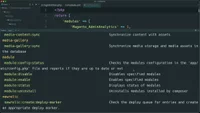
Even though we’ve written our Magento module, it’s not enabled by default! So let’s go ahead and enable it now.
Before we do though, let’s open up our app/etc/config.php file first.
This is the file that Magento uses that controls which modules are enabled or disabled. A 1 obviously means it’s enabled, and a 0 means it’s disabled.
You will never really want to modify this file though, as the order of modules in this file is automagically determined by Magento. We’ll learn a little more about why & how this happens later, but for now just know that when you wish to enable or disable a...

Join the discussion!
Comments
Want to comment on this lesson?
Enroll in this course to leave comments.