Move blocks on a page in Magento
Move Magento wishlist and compare sidebar blocks using layout XML move element destination before after attributes.
Lesson Content
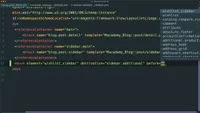
Let’s say we wanted to move around these My Wish List or Compare Products blocks. There are a couple of ways to do this.
When we searched for this compare sidebar block, we were sent to this default.xml layout XML file in the Magento_Catalog module, and we can see that this block is named catalog.compare.sidebar at vendor/magento/module-catalog/view/frontend/layout/default.xml.
If we look at the same file located in the Magento_Wishlist module vendor/magento/module-wishlist/view/frontend/layout/default.xml, we will see the name of this component is wishlist_sidebar. Knowing the...

Join the discussion!
Comments
Want to comment on this lesson?
Enroll in this course to leave comments.