Override an existing block template in Magento
Learn how to override the Magento wishlist sidebar block template and add a "Browse for items" link.
Lesson Content
Sometimes you just need to completely override a template, past what is possible with a translation string. Let’s remove our i18n translations completely to give us the default text back for this wish list sidebar.
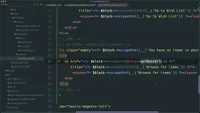
When we refresh our page, we’ll see the standard “You have no items in your wish list” message. Let’s add a “Browse for items” link that goes to the home page, in the event no items are in the wishlist. To do this we will need to override this wishlist sidebar block template.
Our first step is to copy the file from the other module into our module. We want to be careful with h...

Join the discussion!
Comments
Want to comment on this lesson?
Enroll in this course to leave comments.