Remove or control the display of a block in Magento
Learn how to remove or hide a block in Magento layout XML using referenceBlock display and remove attributes.
Lesson Content
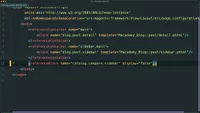
Similar to referenceContainer, there is also a referenceBlock node, and it’s used to either remove blocks from the tree or prevent them from rendering on a certain page. Let’s remove this move node and replace it with a new referenceBlock node.
Just like referenceContainer, we’ll specify the name of the element we’d like to reference with the name attribute. For example, we can reference the catalog.compare.sidebar block to target that compare sidebar block.
Here’s how the layout file looks after replacing the move node with a referenceBlock node:

Join the discussion!
Comments
Want to comment on this lesson?
Enroll in this course to leave comments.