Update templates with placeholder data in Magento
Magento blog templates with placeholder data for list detail sidebar views and getUrl links.
Lesson Content
Let’s open up our blog list template:
<div class="blog-post-list">
    <p><?= __('Blog post list') ?></p>
</div>
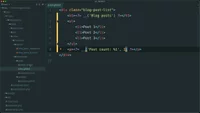
Before we grab data from the database, we will build out our template using placeholder data. Let’s update this template so we have a header, list of items, and a post count.
Our header will be an h1 tag that just outputs “Blog posts”. We’ll create an unordered list, that contains a few line items with some placeholder data. And then finally, we’ll create a p tag at the bottom, that outputs a...

Join the discussion!
Comments
Want to comment on this lesson?
Enroll in this course to leave comments.