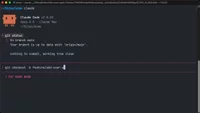
Development workflow with Git and Claude Code
Git workflow with Claude Code use feature branches and small commits for organized development and easy debugging.
Lesson Content
Claude Code works best when you break larger features into smaller, focused tasks. This approach naturally aligns with Git's commit workflow, giving you granular control over your codebase changes.
Making frequent, small commits helps you track exactly what changed and when. If something breaks, you can quickly identify the specific commit that introduced the issue, rather than wading through hundreds of lines of changed code.
Create feature branches for new work
Whenever you start a new feature in Claude Code, create a new feature branch. This distinguishes the current task you ar...

Join the discussion!
Comments
Want to comment on this lesson?
Enroll in this course to leave comments.