Install and enable an MCP in Claude Code
Learn how to install and enable the Playwright MCP in Claude Code for advanced UI debugging and browser automation.
Lesson Content
Claude Code is really good at debugging simple things and even writing logs to files and then diagnosing it, but sometimes you need to go even a step further, especially with more advanced frontend UI issues or features.
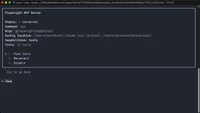
This is when an MCP like Playwright can really help you out. Playwright runs a browser session that allows Claude Code to interact with and see the output of the web browser. This means that you can read console.log’s, take screenshots, and then diagnose them visually further with its LLM, all of which essentially gives eyes to Claude Code.
Install Playwright MCP
All MCP...

Join the discussion!
Comments
Want to comment on this lesson?
Enroll in this course to leave comments.