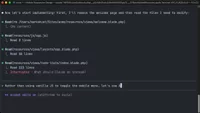
Interrupt the agentic code-writing process in Claude Code
Learn how to interrupt Claude Code's autonomous code writing, correct mistakes, and switch between auto and planning modes for optimal control.
Lesson Content
When Claude Code is autonomously writing code, you're not locked into watching it complete everything. You can interrupt things at at any time if something looks off.
This matters because catching mistakes early saves you from additional debugging later or needing to roll back an implementation. Even in auto mode, staying alert to what's being written gives you control over the output.
Stop execution with Esc
You can press Esc at any point to halt Claude Code's execution. This works even mid-stream, while it's actively writing files.
Once stopped, explain in plain language what...

Join the discussion!
Comments
Want to comment on this lesson?
Enroll in this course to leave comments.