Manage token and context usage in Claude Code
Manage token and context usage in Claude Code with slash commands, MCP control and usage pattern tracking.
Lesson Content
Check context usage
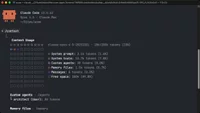
To see all of the content that consumes your current conversation window, run the /context slash command. This outputs a breakdown of your current context, shows which tools are using how much space, and helps you understand where your tokens are going.
You'll want to aim for as low of context usage as possible, while still retaining the functionality that you need. Look out for MCPs in particular, as they quickly fill up context windows. Because of this, it's a good idea to disable MCPs you aren't currently using and only enable them when you're working on a tas...

Join the discussion!
Comments
Want to comment on this lesson?
Enroll in this course to leave comments.