Set a default editing mode for Claude Code
Set a default editing mode in Claude Code using shell aliases for consistent file operation permissions in your workflow.
Lesson Content
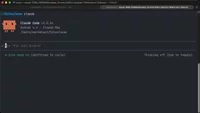
Claude Code offers several different editing modes (also known as “permission” modes) that control how it handles file operations and tool usage. By default, it asks for confirmation before making changes, but you might want a different mode as your standard workflow.
You can set your preferred default mode using shell aliases. This approach is reliable and works consistently across all Claude Code installations.
Note: There's a
defaultModesetting available in Claude Code's settings configuration, but it currently doesn't work as expected. The alias method shown above is the rel...

Join the discussion!
Comments
Want to comment on this lesson?
Enroll in this course to leave comments.