Toggle editing modes in Claude Code
Learn how to toggle between Claude Code's editing modes using Shift + Tab for efficient code editing and management.
Lesson Content
Claude Code has four editing modes that change how it handles requests. Each mode gives you a different level of control over what gets changed in your codebase.
defaultmode prompts you before making any editsauto-acceptautomatically applies all suggested changes without askingplanmode analyzes your codebase first and presents a comprehensive plan before codingbashmode lets you run shell commands directly.
How to toggle between modes
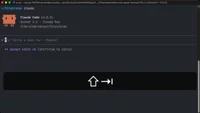
Use the Shift + Tab keyboard shortcut to cycle through the main modes. Each press moves you between auto-accept, plan, a...

Join the discussion!
Comments
Want to comment on this lesson?
Enroll in this course to leave comments.