
The best Magento developer training path starts with PHP and a working Docker environment, moves into building real modules, then goes deeper into the frontend, UI Components, GraphQL and the other advanced topics. Certification comes after that, and specialized topics fill in whatever your projects need. The order matters more than the amount of material, because most of Magento only makes sense once you have seen the parts underneath it.
I'm Mark Shust, a 6x Adobe Commerce certified developer who has been building with Magento for more than 15 years. I've taught more than 16,000 developers in 85 countries, and this guide is the sequence I would give anyone who asked me how to learn Magento. It is organized by stage, so you can find where you are today and see what comes next.
Who this is for
This path is for developers who want to build, extend and maintain Magento 2 and Adobe Commerce stores. That includes PHP developers who are new to ecommerce, developers moving over from WordPress, Laravel or Shopify, and Magento developers who have been working from copy and paste for a while and want to understand what they are doing.
It is not aimed at store owners or merchants who only need to manage a catalog. If that is you, the Magento admin documentation is a better place to start. This guide is about the code.
Prerequisites
You do not need to know Magento before you start. You do need a few fundamentals, because Magento leans on them from the first hour:
- PHP and object-oriented programming. Classes, interfaces, namespaces, type hints and constructors. Magento is built on these, and nearly every Magento concept is an application of them.
- Composer. Magento is installed and extended with Composer packages, so you should be able to require a package and read a
composer.jsonfile. - The command line. You will run
bin/magentocommands all day, along with shell commands inside containers. - Git. You need to commit your work, switch branches and read a diff. Customizations that are not in version control become a liability fast.
- MySQL basics. You do not need to be a database administrator, but you should understand tables, joins and indexes, since Magento stores almost everything in a relational database.
If you are weak on any of these, fix that first. Time spent on prerequisites is the cheapest time you will spend on this whole path. If PHP is the gap, the first stage below covers it.
How long Magento developer training takes
People always ask how long it takes to learn Magento, and I can't give you an honest finish line, because it depends on your background, how many hours you have each week and what you are building. What I can give you is the effort each stage tends to ask for, in focused study and practice time:
| Stage | Typical effort |
|---|---|
| Foundation | About 10 to 25 hours |
| Essential skills | About 20 to 40 hours |
| Advanced development | About 30 to 60 hours |
| Certification prep | About 40 to 80 hours of study and review |
| Specialized topics | Varies, pick only what your work needs |
Treat these as effort estimates, not a schedule. A developer with five years of PHP will move through Foundation in an afternoon. Someone new to programming will take longer, and that is fine. The sequence is what carries you, not the speed.
The Magento developer training roadmap
The roadmap below uses the same five stage labels you will see on the M.academy courses page, in the same order. Each stage lists its courses in the order I recommend taking them. Every course is embedded as a card, so the details you see (lessons, length, ratings) are always current.
Foundation (start here)
Foundation gets you from zero to a working Magento environment with a map of how the framework is organized. There are three steps, and the order is deliberate.
1. PHP. Magento is a PHP application, and you will read and write PHP in every task from here on. If you already write PHP professionally, skip ahead. If you are coming from another language, or you learned PHP years ago and never used the modern features, take this course first.
The PHP 101 for Beginners course is open access, and it focuses on getting you writing PHP quickly instead of burying you in theory. It covers classes, namespaces, interfaces and type hints, which is the vocabulary Magento uses everywhere.
2. A Docker development environment. You cannot learn Magento without a running Magento, and a broken or slow local setup drains motivation faster than any hard concept. Set this up once, set it up properly, and then stop thinking about it.

The Magento 2 Development Environment with Docker course is open access and walks through a reliable, reproducible setup that works on a Mac, Linux or Windows machine. It is the same approach that many teams use for their day-to-day work.
3. Architecture orientation. With an environment running, you can see how Magento fits together: how modules are structured, how configuration is loaded and how a request moves through the system.

The Magento 2 Coding Jumpstart is a short open-access course that gives you this orientation. It saves you from the most common beginner mistakes, and it makes the rest of the path easier to follow. When you want a deeper look at how Magento handles each page load, read the article on the Magento 2 request-response lifecycle.
Essential skills (core knowledge)
This is the turning point. Everything before it is preparation, and here you start building. Essential skills covers backend module development, the JavaScript Magento depends on, and the theming layer.
1. Build your first module. The Coding Kickstart has you build a complete module from scratch. You work through module registration, dependency injection, plugins, observers, database schema, data patches, models, collections, repositories and service contracts. It is the course I point people to most, because it shows how the pieces connect instead of covering them one at a time.

The Magento 2 Coding Kickstart is the most direct path from "I understand the concepts" to "I can build a real feature."
2. JavaScript fundamentals. Magento's frontend does not look like a modern JavaScript project. It uses RequireJS, jQuery widgets and its own conventions for loading and configuring scripts. Learning those conventions before you touch the storefront will save you hours of confusion.

JavaScript Development Fundamentals for Magento 2 covers how scripts are loaded, how modules are mapped and how to add your own code to a page.
3. Theming. Once you understand the JavaScript layer, you can customize how the storefront looks and behaves in a maintainable way, with layouts, templates, and a custom theme instead of edits to core files.

Magento 2 Power Theming walks through building and customizing a theme from the ground up.
4. Knockout.js. Large parts of the Magento storefront, especially checkout, are rendered with Knockout.js. If you have ever been confused by a data-bind attribute, this is the course that clears it up.
Defeat Knockout.js in Magento 2 teaches observables, bindings and templates in the context of real Magento code.
Alongside the courses, read up on the patterns Magento relies on. Dependency injection is the backbone of the framework, so start with the article on the Object Manager. Then learn when to use plugins and when to use event observers, and how the Model Repository design pattern shapes the way data is read and saved.
Advanced development (deep dives)
Advanced development is for developers who can already build a module and want to handle the harder, more specialized work that comes with real client projects.
1. UI Components. UI Components power the admin grids, forms and many storefront features. They are one of the most confusing parts of Magento, because they mix XML, PHP, JavaScript and templates.

UI Components in Magento 2 explains how these pieces fit together so you can stop copying examples and start writing your own.
2. Checkout. Checkout is the most customized part of nearly every store, and the most fragile. Changes here touch the money, so you want to know exactly what you are doing.

Customize the Magento 2 Checkout covers how to add, change and remove checkout steps and fields safely. For a look at the layout processors behind it, see the article on checkout layout processors and jsLayout.
3. Admin grids and forms. Building admin interfaces is one of the most common backend tasks, since most custom modules need a way for a merchant to manage their data.

Transform Magento 2 Admin Grids & Forms builds on the UI Components course and walks through creating the grids and forms that make up an admin section.
4. GraphQL. If you work on headless commerce, progressive web apps or any integration that talks to Magento from the outside, GraphQL is the interface you will use.
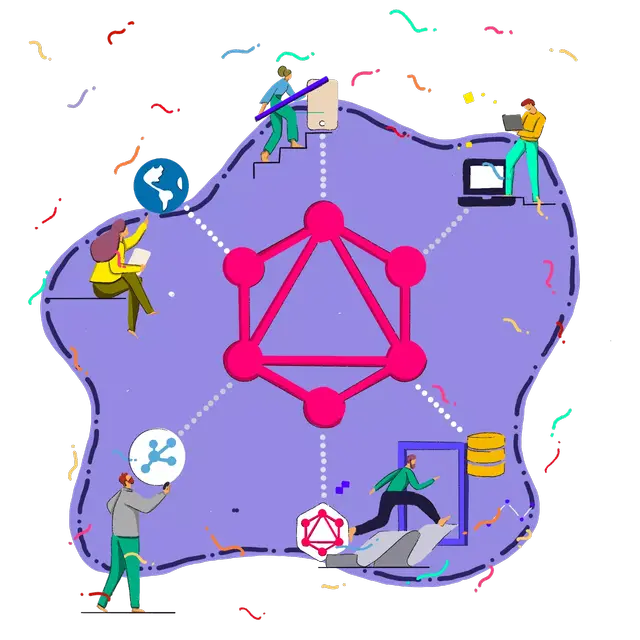
The Art of GraphQL in Magento 2 covers schemas, queries, mutations and custom resolvers.
Certification prep
Certification is a way to validate what you know and to show a client or employer that you know it. It makes sense once you have spent real time in the codebase, not before. The exam rewards developers who have worked through the topics above and who understand why Magento behaves the way it does.
The Adobe Commerce Developer Professional Certification Prep course is built for this stage. For exam details, including the current code, format and cost, see the section on certification further down and the guides linked there.
Specialized topics
Specialized topics are the subjects you pick up when a project calls for them. You do not need all of them, and the order within this stage is a suggestion, not a requirement.
1. Message queues. Message queues handle anything that should run in the background, such as imports, exports and integrations that need to scale. They are one of the clearest differences between a small store and a large one.

Magento Message Queues with RabbitMQ covers how queues work and how to build your own producers and consumers.
2. Routing. Custom routers let you control how URLs map to code, and they are barely documented anywhere else.

Magento 2 Router Wizardry covers advanced routing and custom router implementation.
3. Proxies. Proxy classes keep Magento from instantiating objects it may never use. They are a small topic, but you will meet them in production code constantly.

Magento 2 Design Patterns: Proxies explains when and why to use them.
4. Best practices. After you have written real modules, the fastest way to improve is to look at code that has gone wrong, and learn why.

Magento Code That Sucks walks through common code problems and shows how to fix them.
Open-access vs paid Magento training
There are three ways to take this Magento training on M.academy, and they suit different situations.
The Library. The Library is the open-access part of M.academy. Its open-access courses cost nothing, and you don't need a credit card to enroll. If you are searching for free Magento training, this is the honest answer: PHP 101 for Beginners, the Docker development environment and the Coding Jumpstart are all free Magento courses, and together they cover the entire Foundation stage. That is a real start, and you can learn Magento fundamentals without spending anything.
Individual courses. Most of the courses past Foundation are paid, and you buy each one once. This is the right choice if you know exactly which topic you need, such as GraphQL for a specific project, and you don't want the rest. Check each course page for its current price, since prices change.
M.academy University. University is $499 a year and includes every course and lesson on the path above, along with new courses as they are released. Over 500 students are currently enrolled. If you plan to follow the roadmap beyond Foundation, University usually costs less than buying the courses one by one, and it removes the question of what to buy next. Nothing in University is free, but everything in it is included once you enroll. You can read the details on the University page.
A reasonable way to decide: start with the open-access courses. If you finish Foundation and want to keep going, you will know whether the teaching style works for you, and you can choose between a single course and University with real information.
Common mistakes when learning Magento
I have watched developers take every route into Magento. The ones who struggle tend to make the same handful of mistakes.
- Skipping the environment. Developers who try to learn on a slow or fragile local setup spend their time fighting tools instead of learning Magento. Get Docker working properly first.
- Copying code without reading it. Pasting a snippet from a forum solves today's problem and teaches you nothing. When it breaks after an upgrade, you will not know why. Read what each line does, and trace it back to the framework.
- Using the Object Manager directly. It works, which is why it is tempting. It also hides dependencies and makes code hard to test. Use constructor injection like the rest of the framework does.
- Editing core files. Changing code under
vendor/feels like the quick fix, until a deploy overwrites it. Learn plugins, preferences and observers so you can extend Magento without touching it. - Learning everything at once. Magento is large. Trying to study theming, GraphQL, queues and checkout in the same month leads to shallow knowledge of all of them. Follow the stages in order.
- Skipping the frontend. Backend developers sometimes avoid RequireJS and Knockout.js, and then get stuck the first time a client asks for a checkout change. At least learn the fundamentals.
- Studying without building. Watching lessons feels productive, but you only retain what you build. After each course, build something small that uses what you learned, even if nobody will ever use it.
- Rushing to certification. The exam is a good checkpoint, but cramming without hands-on experience leads to answers you can't explain. Build first, then prepare.
Magento certification
Certification sits near the end of the path for a reason. It confirms the knowledge you built in the earlier stages, and it can help with hiring, with client trust and with your own confidence. It is not required to work with Magento, and plenty of excellent developers never take the exam.
If you are weighing it up, start with what the Magento Certified Developer credential covers, including the exams, the levels and what employers look for. When you are ready to prepare, the guide to the best way to pass the Adobe Commerce certification has a study approach and the current exam details. I have left the codes, scores, prices and durations out of this guide on purpose, since Adobe changes them and those two articles are kept current.
Frequently asked questions
How long does it take to learn Magento?
It depends on your background. A developer with solid PHP and some framework experience can become productive in the early stages within a few weeks of regular study. Reaching confidence with the harder topics, like UI Components and checkout, takes longer, and the best teacher there is time on real projects. Use the effort table above to plan, and judge your progress by what you can build, not by the calendar.
Is Magento hard to learn?
Magento has a steep learning curve, but the concepts are not impossibly hard. It feels harder than it is because developers often learn it in the wrong order, or they try to understand the whole system before building anything. A clear sequence and a working environment make a big difference.
Do I need to know PHP before I learn Magento?
Yes, at least the fundamentals. You do not need to be an expert, but you should be comfortable with classes, interfaces, namespaces and type hints, since Magento uses all of them. If you are not there yet, the open-access PHP 101 for Beginners course covers what you need.
Should I learn frontend or backend Magento first?
Start with the backend. Modules, dependency injection, plugins and observers are the base for everything else, including most frontend work. Once you can build a module, move on to JavaScript, theming and Knockout.js. Most professional Magento work needs both, so plan to cover each eventually.
Is there free Magento training?
Yes. M.academy has free Magento courses in the Library, with no credit card needed: PHP 101 for Beginners, the Docker development environment and the Coding Jumpstart. They cover the Foundation stage. The courses after that are paid, either individually or through University, where they are included.
Is Magento certification worth it?
It can be, if you have hands-on experience and a reason to get it, such as a job search, an agency that values it or a personal goal. It is less useful as a first step. Build real projects first, then use the exam to confirm what you know. The certification articles linked above go into more detail.
Should I learn Hyvä or Luma?
Luma is the default Magento theme, and most existing stores and client codebases still run on it, so the theming and Knockout.js knowledge in this path applies directly. Hyvä is a newer frontend that many agencies are adopting. Learning Magento fundamentals first helps with both, since either one sits on top of the same backend. M.academy does not have a Hyvä course available yet.
Your next step
Pick the stage that matches where you are today and take the next course on it. If you are brand new, that is PHP 101 for Beginners or, if you already write PHP, the Docker development environment. If you already have a working setup and know PHP, go straight to the Coding Kickstart and build your first module. One course finished beats five started.